Compare a separate Bluetooth keyboard with a fitted tablet case by checking typing space, app shortcuts and the surfaces where you will actually work.
Our advice is based on published information and the use cases explained below. Manufacturer links in this guide are ordinary links, not paid placements. How links work.
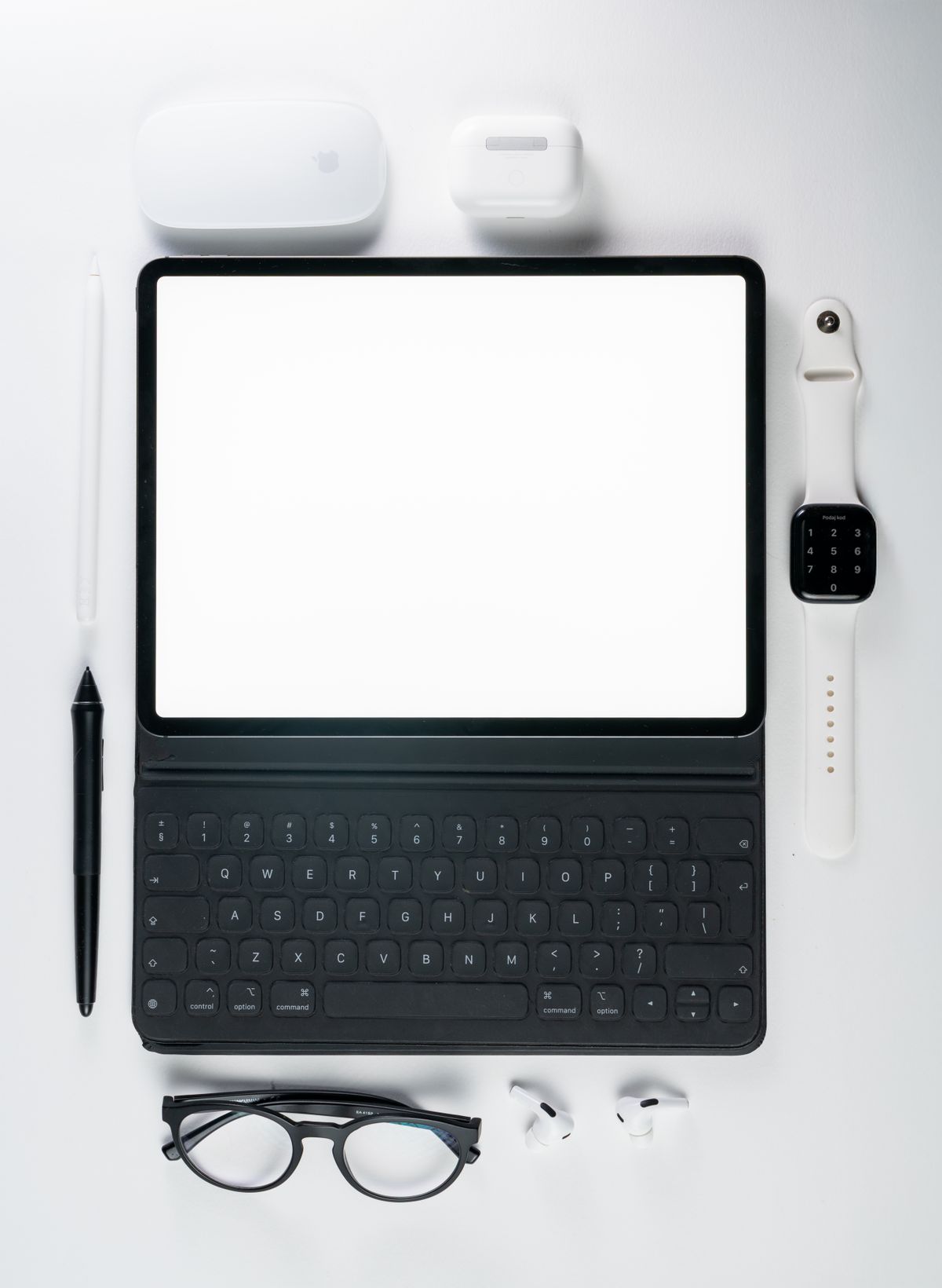
Choose the keyboard around the work surface and apps you use most. A separate Bluetooth model can offer flexible placement and serve more than one device; a compatible keyboard case keeps the setup together. Include the stand, protective cover and pointing method in the packed size. Buy only after confirming that the tablet can complete the intended job without the laptop you plan to leave behind.
Check the work before choosing the keys
A tablet keyboard can make answering a long email or drafting a travel report more comfortable, but it does not turn every tablet app into its desktop counterpart. List the jobs you expect to finish away from home: editing a document, joining a meeting, entering a spreadsheet or using a company portal. Open those workflows on the tablet first. Confirm file access, required app features and any workplace requirements before spending on hardware around an unsuitable software setup.
Separate short replies from sustained writing. If the tablet is mainly for maps and reading, an occasional message may not justify another object in the bag. If you plan to write every evening, key spacing and screen placement deserve more attention than the smallest folded dimensions. The right purchase should remove a recurring difficulty. A keyboard acquired just in case can quietly recreate the weight and complexity of the laptop it was meant to replace.
Choose between a separate keyboard and a fitted case
A separate keyboard lets the screen stand farther away or higher on a suitable support, and it may be usable with other devices. The tradeoff is more pieces to unpack and a separate way to protect and support the tablet. Logitech's Keys-To-Go 2 documentation provides one example of a portable Bluetooth design with support for several operating systems. Check the exact version, keyboard layout and software requirements instead of relying only on a product-family name.
A fitted keyboard case keeps more of the system together, but compatibility can be specific to tablet generation and dimensions. Apple's Smart Keyboard guidance explicitly starts with checking that the iPad and keyboard work together, and describes the supported Smart Connector arrangement. That is a different connection model from Bluetooth. Verify the manufacturer's list for the exact accessory and tablet; similar screen sizes or magnetic attachment do not establish that an older case will fit a newer device.
Evaluate the surface where you will type
At a hotel desk, a separate keyboard and stand can be easy to arrange. On a shallow café table, the same setup competes with a cup and notebook. A train tray or your lap adds another challenge because separate pieces need adequate support. Measure the complete working depth, including the tablet's support angle and room for your hands. Product thickness in the bag tells you little about how much space the open system requires.
For frequent lap use, inspect the manufacturer's intended support arrangement and try it during the return period if possible. Do not assume a folding cover will hold the screen at every preferred angle on an uneven surface. Consider how you will move the setup when the table needs clearing. A slightly larger integrated design may suit that routine better, while a flexible separate keyboard can be preferable for longer sessions at a stable desk.
Read layout and shortcut details carefully
A travel keyboard's compactness usually changes something about the layout. Inspect the location of arrows, punctuation, escape and modifier keys that your work uses repeatedly. Choose the language layout you expect rather than relying on a photograph that may show a different regional version. For spreadsheet work, consider whether entering numbers on a compressed layout will remain comfortable. A small accessory can become frustrating if it slows the exact task you bought it to improve.
Logitech's support page explains that Keys-To-Go 2 adapts key functions to supported operating systems and provides manual layout switching where needed. That establishes the importance of the keyboard's operating-system behavior, not a guarantee that every application supports every shortcut. Try the shortcuts used in your actual document or email app. Also decide whether touch input is sufficient or whether a supported mouse or trackpad belongs in the kit, bringing its own space and power considerations.
Count the complete kit before you buy
Include the tablet cover, stand, keyboard and any pointing accessory when comparing packed weight and bulk. For Bluetooth designs, read the battery arrangement and how pairing or switching devices works. For connector-based accessories, confirm the exact tablet compatibility and whether your protective case interferes with attachment. Keep the kit easy to unpack and protect the keys in transit. A keyboard that is compact alone may be less portable once every supporting piece is included.
Our buying priority is confirmed app capability, comfortable layout and a stable screen position. Decorative lighting or elaborate device-switching features come later unless the work specifically needs them. Use the official support pages below to understand connection and compatibility details, then compare the exact regional product. Rehearse a realistic session before departure, including opening files and reconnecting after the tablet sleeps. That simple preparation is more valuable than discovering at the airport that the keyboard fits but the intended workflow does not.
Choose for the way you use it
| Working situation | Useful approach | Tradeoff |
|---|---|---|
| Long writing at a desk | Separate keyboard and stable tablet stand | Several pieces to carry |
| Frequent moves between tables | Compatible integrated keyboard case | Less flexibility in screen placement |
| Occasional short messages | Existing on-screen keyboard | Limited comfort for sustained writing |
Before you buy
- Complete a sample job in the tablet's actual apps first.
- Check the exact tablet generation and accessory compatibility.
- Inspect language layout and frequently used keys.
- Compare full working depth and packed kit size.
Common questions
Will any tablet keyboard case fit a tablet of the same size?
No. Check the accessory manufacturer's exact model and generation list. Dimensions, camera openings, attachment and connector placement can differ.
Does a Bluetooth keyboard need a special tablet app?
Requirements vary. Read the keyboard's operating-system support and setup instructions, and check whether any optional software is available on the device you intend to use.
Sources & further reading
Official information consulted October 19, 2026. Buying recommendations and use-case judgments are TechPixl editorial analysis.